


Every document, one version, one click away.
Version-controlled SOPs, electronic signatures built for 21 CFR Part 11, role-based approvals, and a file repository with retention and legal holds. The night before an audit stops being a scavenger hunt through a shared drive.
Build the record, not just the document.
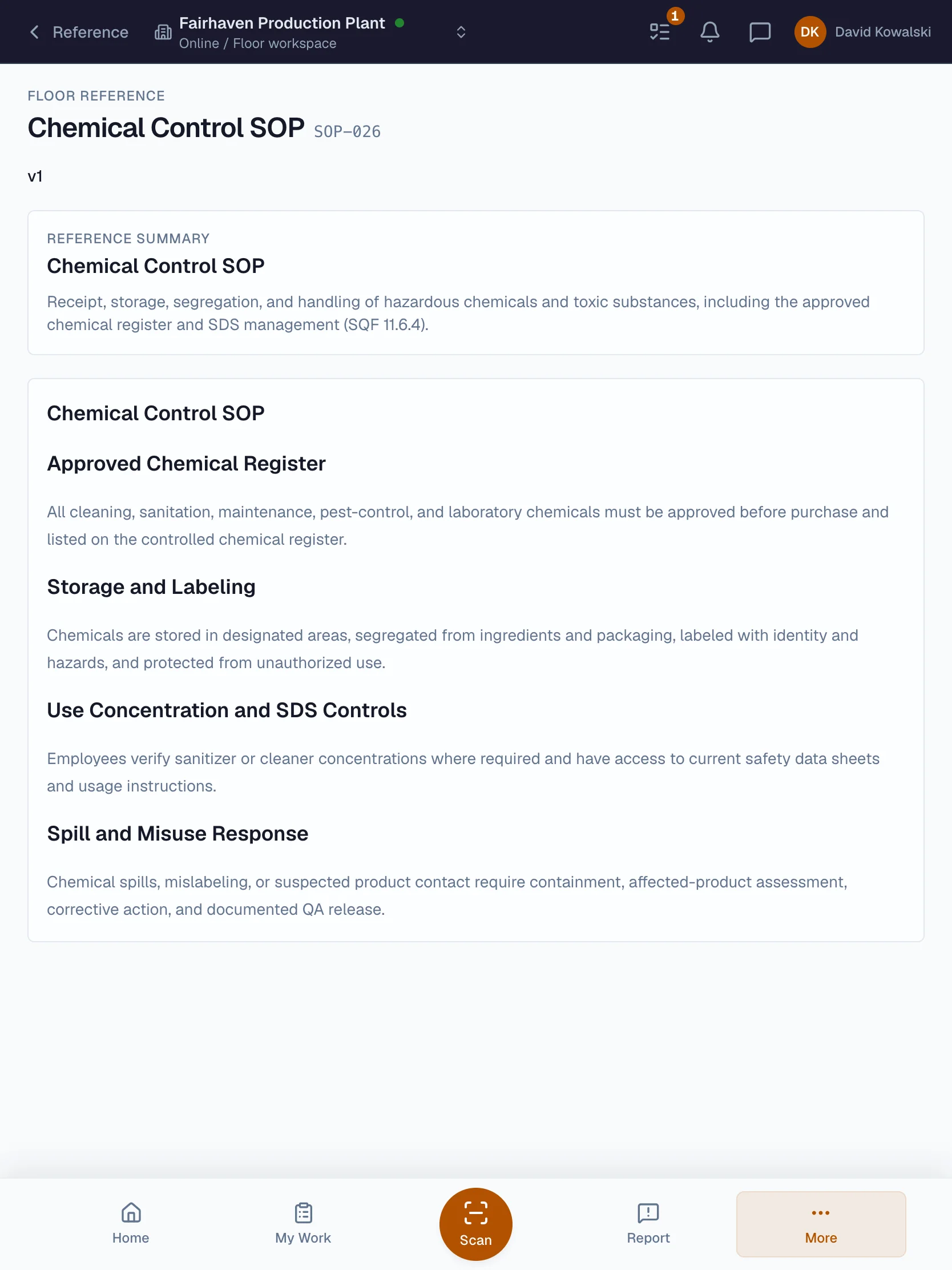
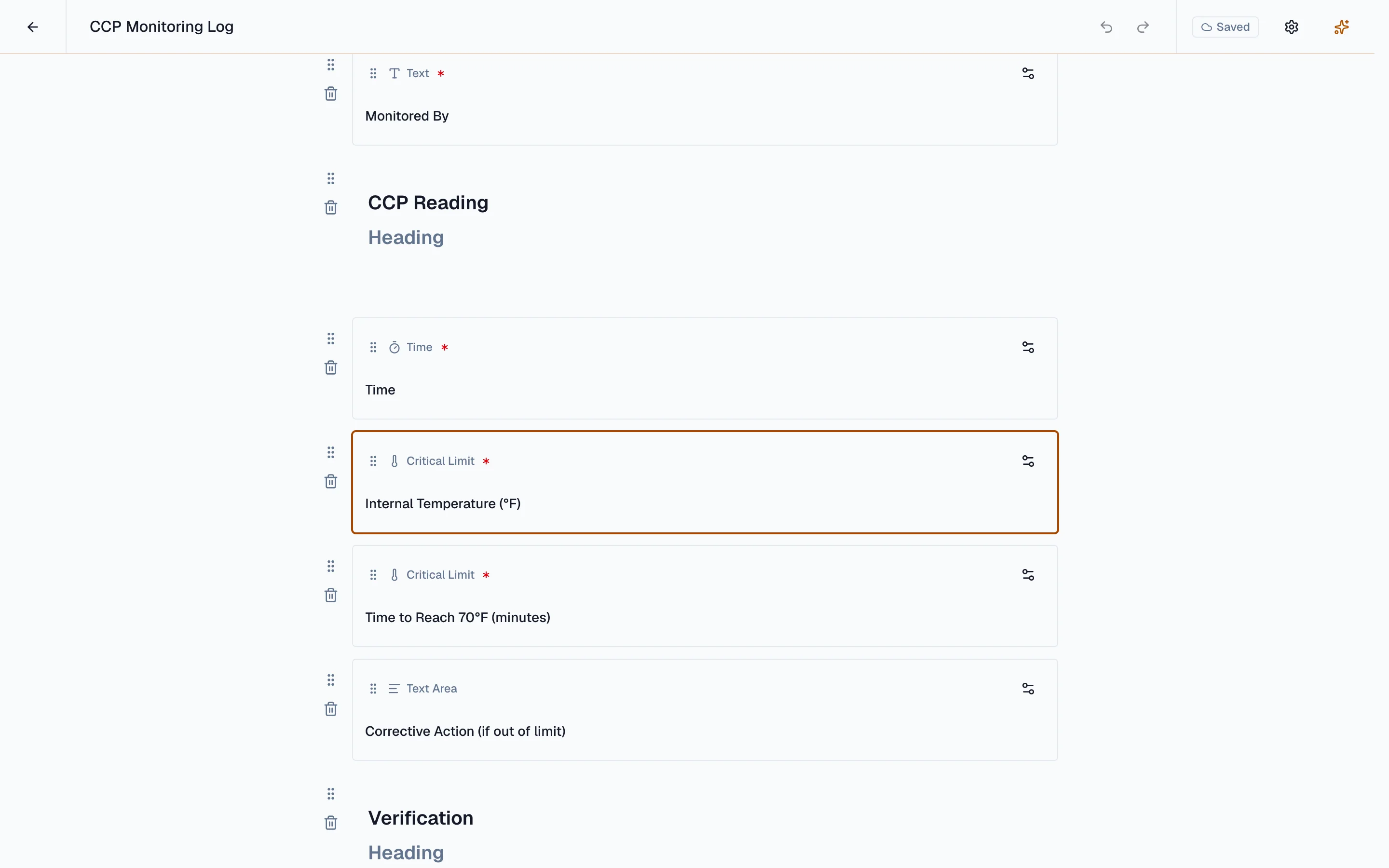
An auditor draws a hard line here: SOPs, work instructions, plans, and blank forms are documents; the moment a form is filled with data it becomes a record. Beacon is built on that line. Documents and the records they drive are authored in the same place. Drop in typed fields and the form knows what it is collecting: a date, a selection, a signature, or a critical limit bound to the CCP it monitors. That binding is why a reading entered on the floor can raise a deviation instead of sitting in a log nobody reads. The finished record is filled on a tablet where the work happens, complete and searchable the moment it is submitted, with no second pass keying a clipboard into a system the next morning.
- Typed fields, including critical limits bound to a CCP
- Required markers, ordering, and per-field settings
- The same canvas for a procedure and its record
- Every edit lands on a draft version, never the approved one
- Filled on a tablet on the floor, complete the moment it is submitted
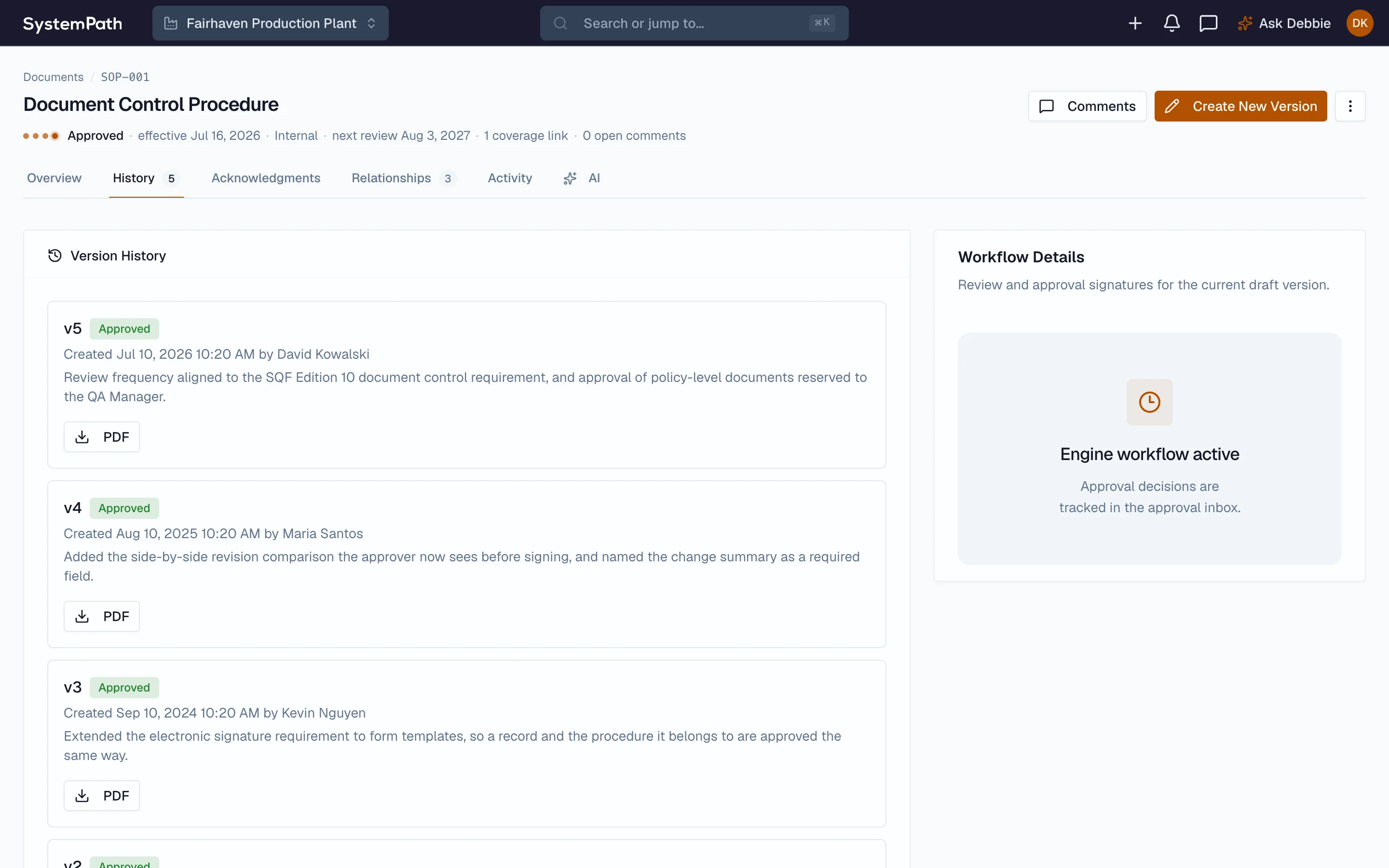
One current version. The rest is history, on the record.
Publish a new SOP and the old one retires on its own, with the change recorded. Approvals are signed with electronic signatures built for 21 CFR Part 11 that capture the meaning of the signature and bind to a hash-verified version, so an edited file no longer matches its signed history. A shared drive with permissions still lets the file drift from the approval; this does not.
- One controlled current version, full history retained
- Part 11-ready signatures bound to a hash-verified version
- Approvals route by role, so a review never waits for one person
- Reminders and escalation on anything sitting unapproved
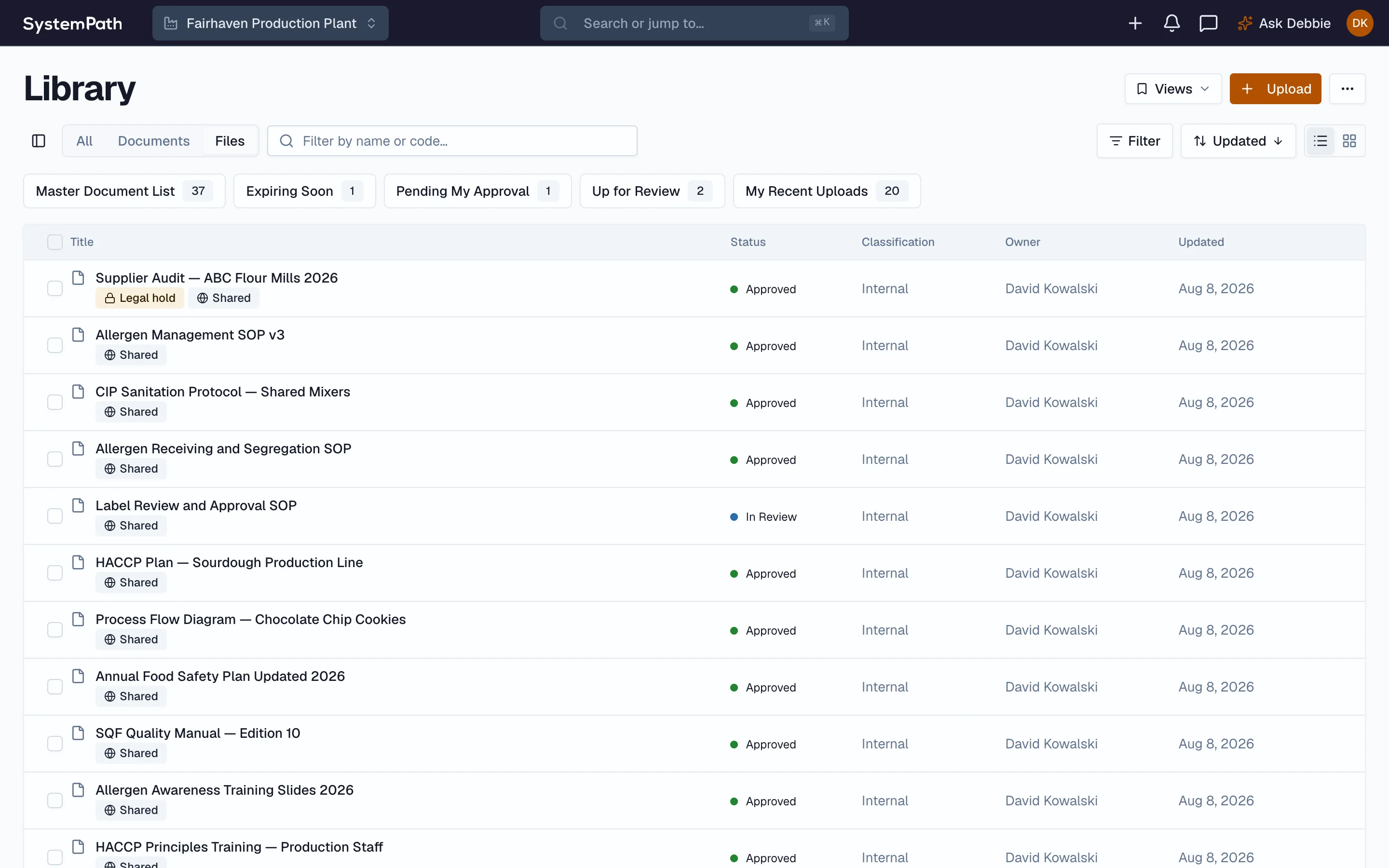
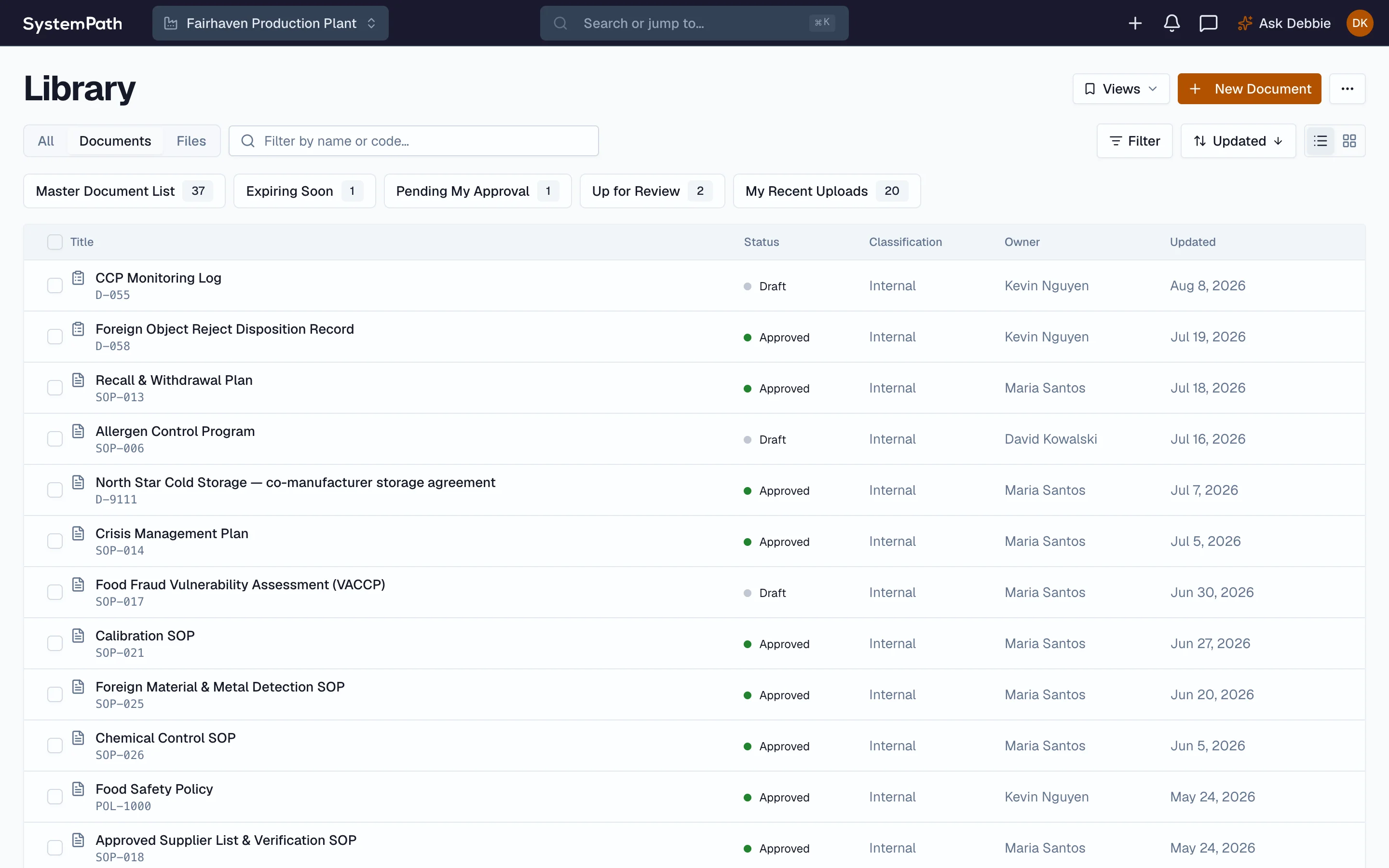
A real home for every file, not a shared drive.
Beyond controlled documents, the file repository holds the rest of your records in folders you can browse and search, with retention applied by type. Put a legal hold on records under investigation and deletion is suspended. Incoming files pass through quarantine with their scan status recorded, and Office documents render to PDF for a fixed, shareable copy.
- Browseable, searchable folders for every file
- Retention by record type, with legal holds
- Quarantine and a recorded scan status on incoming files
- Office documents rendered to PDF on demand
Every document question an auditor asks, answered before they walk in.
Document control fails in the gap between the approved version and the one on the floor. When every document, acknowledgment, and review date sits on one record, the answer is a search rather than a scramble.
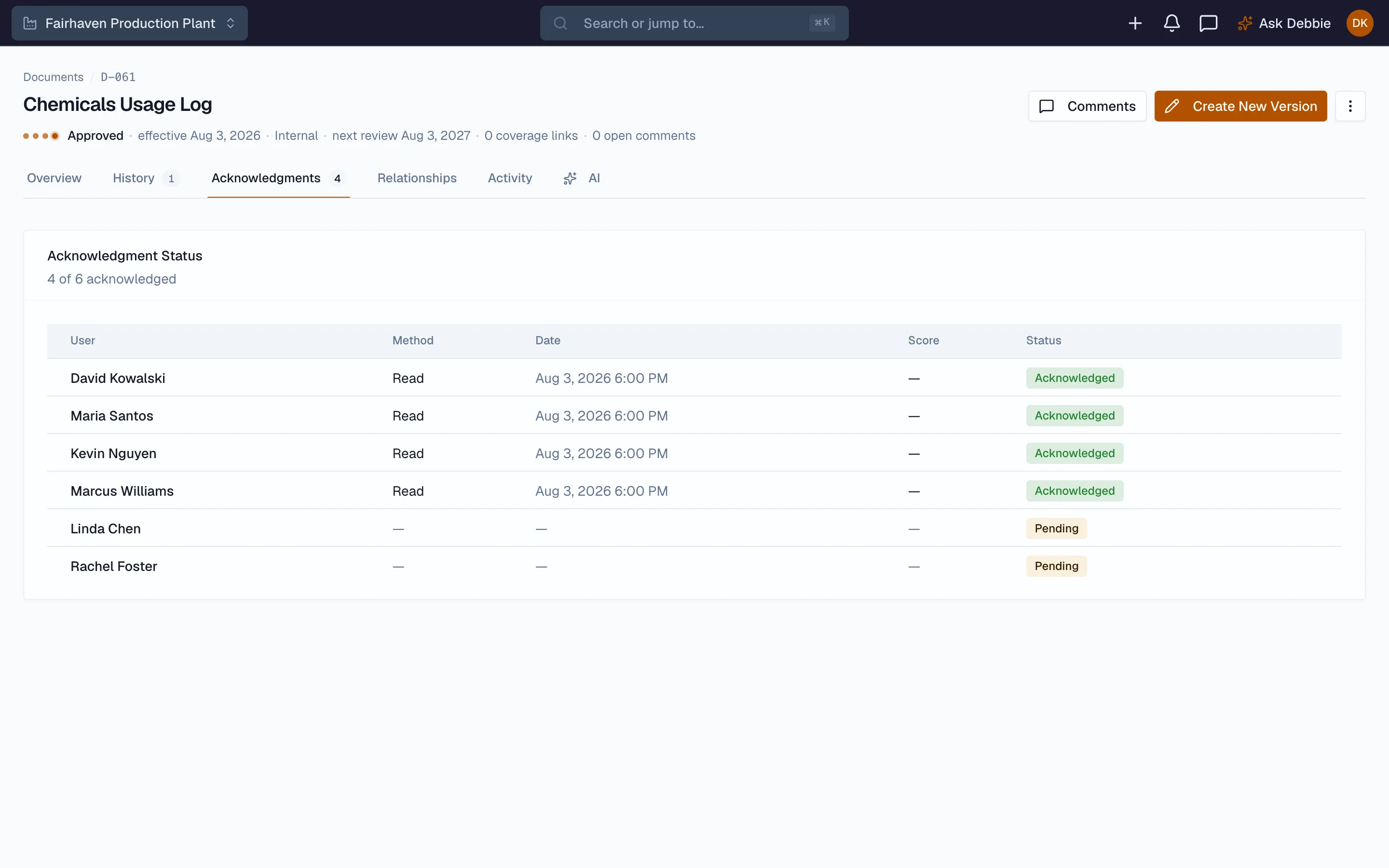
Acknowledgment is tracked per person against the approved version, so when the SOP changed in March you can show exactly who signed off on the new one and who is still outstanding.
Explore Acknowledgments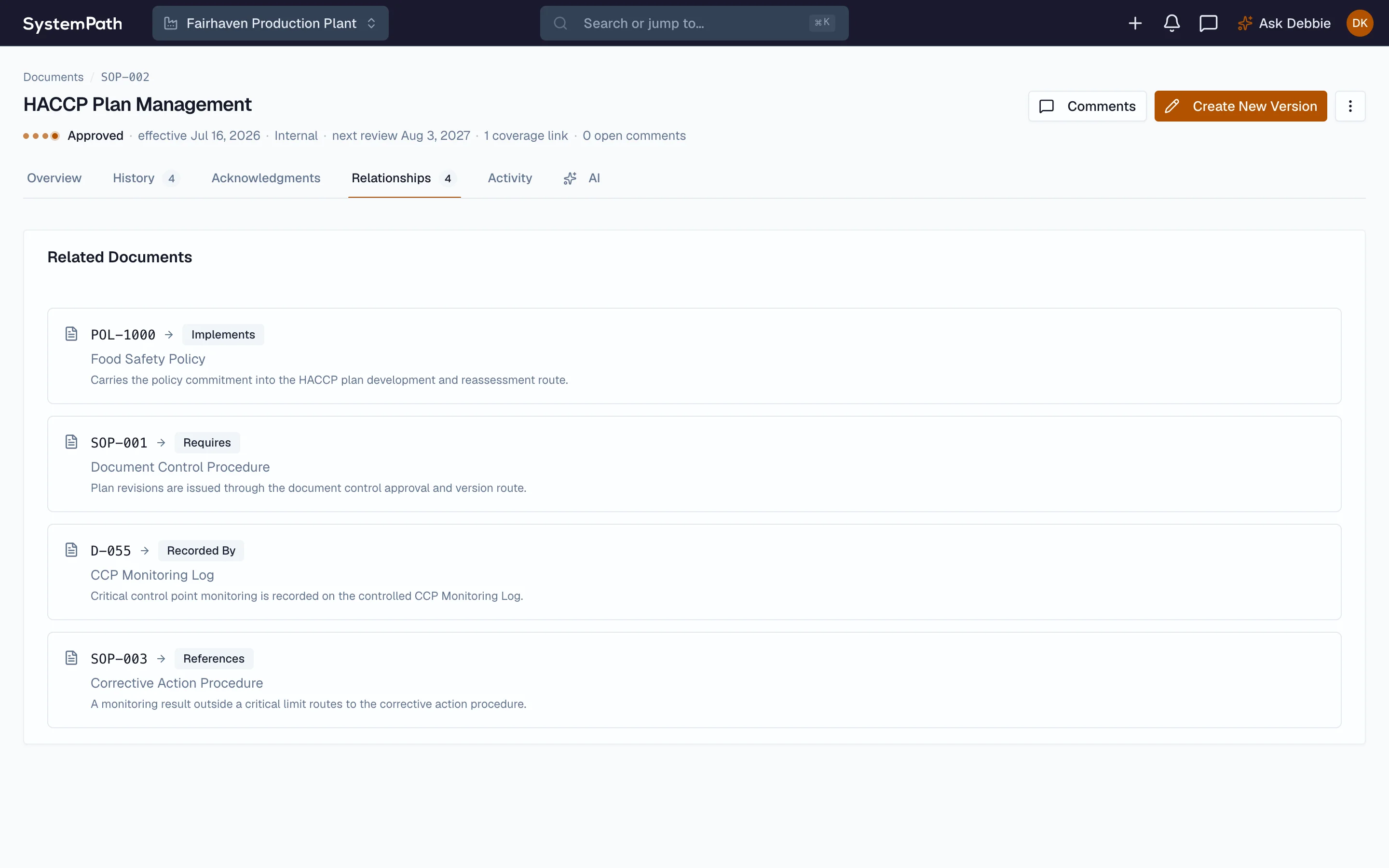
A document says what it implements, what it supersedes, and which controlled record captures compliance with it. The auditor asking for the log behind an SOP gets the link rather than a filing-cabinet tour.
Explore Document map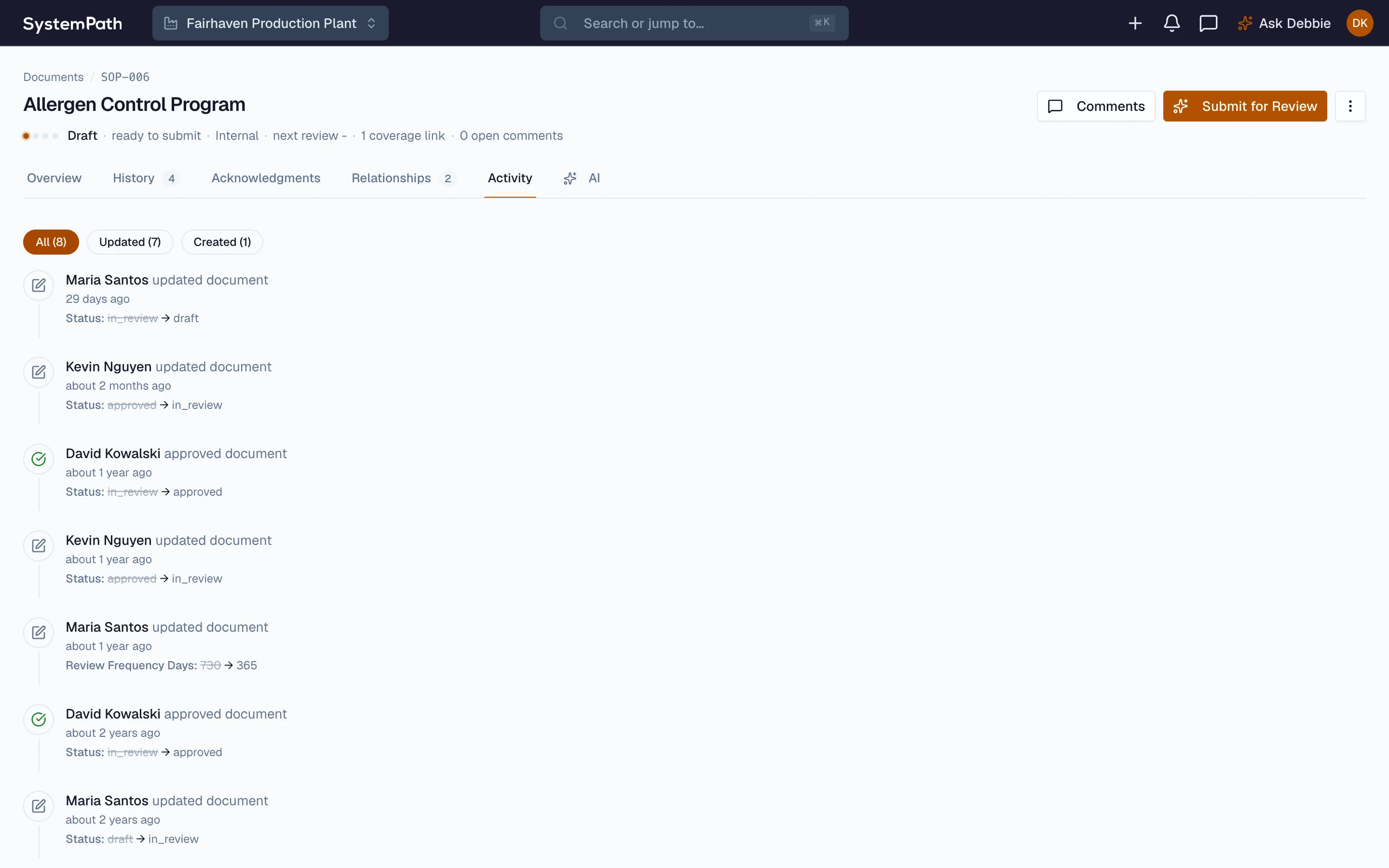
Every status move, review-cycle change, and approval is logged against the document with the person who made it. It is the difference between a document that is controlled and a file that is merely stored.
Explore Change historySee your document control on one record.
A 20-minute walkthrough on real data, from a controlled SOP to its signatures, acknowledgments, and retention. Bring the document set you have now.
Prefer the phone? (313) 484-4887
What happens next
Discovery call
About your document set, your approvers, and your retention rules.
Live walkthrough
A controlled document followed from draft to signature to retrieval.
Custom proposal
Software, consulting, and training sized to your operation.
You'll talk with a food safety expert, not a sales rep.
20 minutes · No commitment · No pressure
Questions about document control.
Answers from the team that runs Beacon inside a working SQF-certified plant.
Every document has one controlled current version, and the older versions live in its history rather than as files named final, final-2, and final-actual. When you publish a new version, the prior one is retired automatically and the change is recorded with who made it and when. People reference the document, not a copy they downloaded last month, so the line is never running an out-of-date SOP.
Signatures are designed to support 21 CFR Part 11 compliance. Each one is tied to a named user account, PIN-verified at the moment of signing, timestamped, captured with the meaning of the signature, and locked into an append-only audit trail bound to the record. Each version carries a content hash, so an altered file no longer matches its signed record. Whether a facility's records program satisfies Part 11 depends on its own procedures; what Beacon provides is the signature controls and the full signed history an auditor asks to see. Most food records are not subject to Part 11 at all (dietary supplement and OTC drug records are); Beacon holds food records to that standard anyway.
Approvals route by role, not by a single named person, so a pending review goes to whoever holds that role on shift. Reminders and escalation keep a document from sitting unapproved, and the whole approval chain is recorded. A second-shift change does not wait until the first-shift approver is back in the building.
You set retention by record type, so monitoring records, signed documents, and certificates each follow their own schedule. The file repository also supports legal holds that suspend deletion for records under investigation or litigation, and incoming files pass through quarantine with their scan status recorded. Office documents can be rendered to PDF for a fixed, shareable copy.
Forms are filled on tablets on the floor, with the same required fields and signatures the paper version had, and the record is complete and searchable the moment it is submitted. There is no second step where someone keys a clipboard into a system the next morning, and no box of paper to retrieve from when an auditor asks.
Yes. Your existing SOPs, policies, and records come in during implementation, organized into the repository with their categories and retention applied. SystemPath handles the migration as part of getting you set up, so you start from your real document set, not a blank platform.